
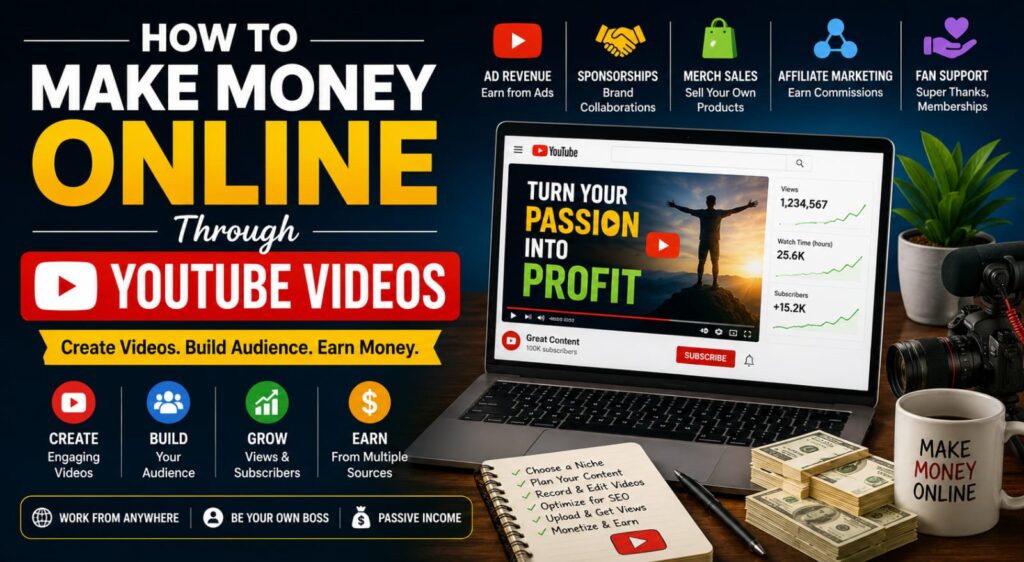
How to Make Money Online Through YouTube Content Creation: A Complete Beginner’s Guide
YouTube content creation has become one of the most accessible ways to build an online audience and potentially generate income from the internet.
You don’t necessarily need expensive equipment, a professional studio, or millions of subscribers to get started. What you need most is a useful content idea, consistency, creativity, and a willingness to learn.
From educational tutorials and product reviews to entertainment, gaming, cooking, technology, personal development, and business content, YouTube provides opportunities for creators in almost every niche.
However, becoming a successful YouTube creator is not an overnight process. Building an audience takes time, and earning money depends on factors such as your audience, content quality, views, engagement, niche, monetization methods, and consistency.
This beginner-friendly guide explains how to make money through YouTube content creation, how to start a channel, different ways to earn, the skills you need, useful tools and platforms, practical growth strategies, and common mistakes to avoid.
What Is YouTube Content Creation?
YouTube content creation means producing and publishing videos on YouTube to educate, entertain, inform, inspire, or help an audience.
A creator might publish:
- Tutorials
- Educational lessons
- Product reviews
- Technology videos
- Vlogs
- Gaming videos
- Cooking tutorials
- Fitness content
- Business advice
- Finance education
- Interviews
- Podcasts
- Travel videos
- Short-form videos
- Documentary-style content
The important thing is that your channel should have a clear reason for existing.
Why Is YouTube a Good Way to Make Money Online?
- You Can Start With Basic Equipment
Many beginners can start with a smartphone.
As your channel grows, you can gradually improve:
- Camera
- Microphone
- Lighting
- Computer
- Editing software
Don’t wait until you own expensive equipment.
- You Can Build a Global Audience
YouTube is available in many countries, allowing creators to reach viewers far beyond their local area.
You can create content in:
- English
- Hindi
- Bengali
- Assamese
- Other regional languages
The language you choose should match the audience you want to reach.
- Multiple Ways to Earn
YouTube creators can potentially earn from several sources rather than relying on advertising alone.
These can include:
- Advertising revenue
- Channel memberships
- Super Thanks
- Sponsorships
- Affiliate marketing
- Merchandise
- Digital products
- Online courses
- Coaching
- Services
Not every monetization method will be available to every creator or in every location, and eligibility and platform policies can change.
- Your Videos Can Continue Working for You
A useful video can continue attracting viewers long after publication.
For example, a tutorial titled:
“How to Create a WordPress Website for Beginners”
may continue receiving search traffic months or years later if it remains useful and relevant.
This is one reason evergreen content can be valuable.
How Much Money Can You Make on YouTube?
There is no fixed amount that YouTube pays per video or per subscriber.
Your income can depend on:
- Number of monetized views
- Audience location
- Niche
- Viewer engagement
- Advertising demand
- Video length and format
- Seasonality
- Advertiser suitability
- Other monetization sources
Two channels with the same number of views can earn very different amounts.
For example, a channel focused on business software may have different advertising economics from a general entertainment channel.
Therefore:
Subscribers ≠ Income
and
Views ≠ Guaranteed Earnings
Your goal should be to build a valuable audience rather than simply chase subscriber numbers.
How to Start a YouTube Channel Step by Step
Step 1: Choose a Niche
A niche is the main subject of your channel.
Popular niches include:
Education
- School subjects
- Language learning
- Exam preparation
- Study tips
Technology
- Smartphones
- Computers
- Software
- AI tools
- Website tutorials
Entertainment
- Comedy
- Stories
- Reactions
- Challenges
Lifestyle
- Daily life
- Travel
- Food
- Fitness
Business
- Entrepreneurship
- Freelancing
- Online business
- Marketing
Creative Skills
- Photography
- Drawing
- Music
- Video editing
- Graphic design
Choose something you can talk about consistently for months or years.
Step 2: Identify Your Target Audience
Don’t simply ask:
“What videos should I make?”
Ask:
“Who am I making these videos for?”
For example:
Audience: Beginners who want to learn freelancing.
Potential videos:
- How to Start Freelancing
- Best Freelancing Skills
- How to Create a Freelance Portfolio
- How to Find Your First Client
- Common Freelancing Mistakes
A clearly defined audience makes content planning much easier.
Step 3: Research Video Ideas
Before creating videos, research what your audience wants to know.
You can find ideas through:
- YouTube search suggestions
- Comments
- Google searches
- Competitor channels
- Reddit and online communities
- Social-media discussions
- Frequently asked questions
- Your own experience
Look for problems people are actively trying to solve.
For example:
Instead of:
“My Thoughts About Cameras”
you might create:
“Best Cameras for YouTube Beginners”
The second topic has a clearer viewer purpose.
Step 4: Create a Content Plan
Don’t upload videos randomly.
Create a simple content calendar.
For example:
Monday: Educational tutorial
Wednesday: Short video
Friday: Product review
Sunday: Q&A or discussion
You don’t have to upload every day.
Consistency is more important than overwhelming yourself.
Step 5: Write a Simple Video Script
A script can help you stay focused.
A useful structure is:
Hook
Grab attention in the first few seconds.
Problem
Explain what the viewer wants to solve.
Main Content
Deliver useful information.
Examples
Show how the information works in practice.
Conclusion
Summarize the main points.
Call to Action
Invite the viewer to:
- Subscribe
- Comment
- Watch another video
- Visit your website
- Download a resource
Avoid making the entire video a sales pitch.
Step 6: Record Your Video
You can begin with:
- Smartphone
- Tripod
- Natural light
- Quiet room
- Basic microphone
If you’re creating tutorials, you may not even need to appear on camera.
You can use:
- Screen recordings
- Slides
- Voice-over
- Animations
- Demonstrations
However, if you use other people’s footage, images, music, or recordings, make sure you have the necessary rights or permissions.
Step 7: Improve Your Audio
Viewers may tolerate average video quality, but poor audio can make a video difficult to watch.
Try to:
- Record in a quiet room.
- Avoid strong background noise.
- Keep the microphone reasonably close.
- Speak clearly.
- Check the recording before publishing.
As your channel grows, consider investing in a better microphone.
Step 8: Edit Your Video
Editing doesn’t need to be complicated.
Basic editing can include:
- Removing mistakes
- Cutting unnecessary pauses
- Adding captions
- Adding images
- Adding screen recordings
- Adding background music where appropriate
- Improving audio
- Adding transitions
- Adding text
Popular editing tools include:
- DaVinci Resolve
- Adobe Premiere Pro
- CapCut
- Final Cut Pro
- Canva
Choose a tool that matches your skill level and device.
Step 9: Create an Attractive Thumbnail
A thumbnail is one of the first things potential viewers see.
A good thumbnail should:
- Be easy to understand
- Use readable text
- Have a clear subject
- Create curiosity without being misleading
- Work well on mobile screens
Avoid putting too much text on the thumbnail.
For example:
WEBSITE IN 30 MINUTES
is easier to understand than a thumbnail containing several sentences.
Step 10: Write a Search-Friendly Title
Your title should communicate the value of the video.
Examples:
Weak:
My New Video
Better:
How to Start Freelancing in 2026: Beginner’s Guide
Another example:
Weak:
YouTube Tips
Better:
10 YouTube Tips for Beginners to Get More Views
Your title should accurately represent what the video contains.
Never use misleading titles simply to attract clicks.
Step 11: Optimize the Video Description
Use the description to explain:
- What the video covers
- Important resources
- Relevant links
- Affiliate disclosures where applicable
- Your website
- Social-media profiles
- Other related videos
Don’t stuff the description with unrelated keywords.
Step 12: Publish Consistently
There is no magic number of videos you must publish.
A beginner might start with:
1–2 quality videos per week
and increase or decrease based on their schedule.
The important thing is to maintain a sustainable routine.
How to Make Money Through YouTube
YouTube advertising is only one part of the opportunity.
Here are some of the main monetization methods.
- YouTube Advertising Revenue
Eligible creators can potentially earn revenue from ads displayed around their content through YouTube’s monetization systems.
Eligibility depends on YouTube’s current requirements and policies.
You can check the current requirements through the official YouTube Partner Program information.
Don’t build your entire business around advertising.
Other revenue sources can become equally or more important as your audience grows.
- Channel Memberships
Eligible channels may offer memberships where viewers pay recurring fees in exchange for benefits.
Benefits can include:
- Members-only content
- Badges
- Emojis
- Exclusive posts
- Community access
- Special live streams
Availability depends on YouTube’s current eligibility requirements and supported locations.
- Super Thanks and Other Fan-Support Features
Eligible creators can receive support from viewers through YouTube’s fan-funding features.
This can work particularly well when you have an engaged community.
- Sponsorships
Companies may pay creators to feature or discuss their products or services.
For example, a technology channel might work with:
- Smartphone brands
- Software companies
- Accessories manufacturers
- Online services
A sponsorship can be:
- A dedicated video
- A short integration
- Product placement
- Tutorial sponsorship
- Brand campaign
Always clearly disclose sponsored relationships when required.
- Affiliate Marketing
Affiliate marketing can work extremely well with YouTube.
Suppose you create:
“Best Microphones for YouTube Beginners.”
You can explain the products and provide appropriate affiliate links in your description if permitted by the affiliate program.
If a viewer makes a qualifying purchase through your link, you may receive a commission.
This creates an additional income stream beyond YouTube advertising.
- Sell Your Own Products
Your YouTube channel can promote your own digital products.
Examples:
- Ebooks
- Templates
- Checklists
- Online courses
- Presets
- Design resources
- Software
- Educational materials
This can be especially valuable because you have greater control over your own product than over advertising revenue.
- Sell Online Courses
If your channel teaches a specific skill, you can create a more comprehensive paid course.
For example:
Free YouTube videos:
“How to Start a Blog”
Paid course:
“Complete Blogging & SEO Course for Beginners”
Your free content demonstrates your expertise while your paid course provides a structured learning experience.
- Offer Freelance Services
Your YouTube channel can also become a portfolio.
For example, a graphic designer can publish design tutorials and attract clients.
A video editor can demonstrate editing techniques.
A website developer can publish WordPress tutorials.
This means YouTube can generate income indirectly by bringing customers to your services.
- Sell Merchandise
Creators with strong communities can sell:
- T-shirts
- Mugs
- Notebooks
- Hoodies
- Accessories
- Branded products
Merchandise usually works better when viewers have a strong emotional connection with the creator or community.
- Paid Communities
You can create a paid community around your niche.
For example:
Freelancing Mastermind Community
could offer:
- Weekly discussions
- Q&A sessions
- Resources
- Networking
- Educational content
The exact platform can vary.
YouTube Shorts vs Long-Form Videos
YouTube Shorts
Shorts can help you:
- Reach new viewers
- Experiment with topics
- Share quick tips
- Build awareness
- Repurpose ideas
Examples:
“3 Freelancing Mistakes Beginners Make”
“1 SEO Tip in 30 Seconds”
Long-Form Videos
Long-form content is useful for:
- Tutorials
- Reviews
- Detailed guides
- Interviews
- Educational content
- Product comparisons
A strong channel can use both. For example:
Short: “3 Ways to Make Money Online”
Long Video: “20 Legitimate Ways to Make Money Online: Complete Guide”
Skills You Need to Become a Successful YouTube Creator
- Communication
You need to explain ideas clearly.
- Storytelling
Even educational content becomes more engaging when information is presented as a story or logical journey.
- Video Editing
Basic editing can significantly improve the quality of your videos.
- Thumbnail Design
Learn how to create clear and attractive thumbnails.
- SEO
Understand:
- Search intent
- Keywords
- Titles
- Descriptions
- Audience questions
- Research
Good research helps you produce accurate and useful content.
- Analytics
Learn to understand:
- Views
- Watch time
- Audience retention
- Click-through rate
- Traffic sources
- Returning viewers
- Consistency
You need the discipline to continue creating content even when some videos perform poorly.
- Adaptability
YouTube changes over time. Successful creators keep learning and adapting.
Important YouTube Analytics to Understand
You don’t need to become a data scientist.
Start by understanding a few important metrics.
Views
How many times people watched your video.
Watch Time
How much total time viewers spent watching.
Audience Retention
Shows how much of your video viewers continue watching.
Click-Through Rate
Helps you understand how often viewers click after seeing your thumbnail and title in applicable YouTube surfaces.
Traffic Sources
Shows where your viewers are discovering your videos.
Returning Viewers
Helps you understand whether people are coming back to watch more of your content.
Don’t obsess over one metric.
Look at the overall picture.
How to Get Your First 1,000 Subscribers
There is no guaranteed formula for reaching 1,000 subscribers.
However, these strategies can help.
- Solve Specific Problems
Create videos that answer questions people are actually asking.
- Focus on Quality
Don’t upload videos simply to meet a quota.
- Create Series
For example:
Learn Blogging — Part 1
Learn Blogging — Part 2
Learn Blogging — Part 3
Series can encourage viewers to watch multiple videos.
- Improve Your Thumbnails
Test different designs and learn from your analytics.
- Use Strong Introductions
Avoid spending the first minute talking about yourself.
Tell viewers what they will learn.
- Encourage Engagement
Ask relevant questions at the end of videos.
For example:
“Which YouTube topic would you like me to explain next?”
- Promote Your Videos
Share appropriate videos through:
- Website
- Relevant communities
How to Build a YouTube Audience From India
India has a huge online audience, creating opportunities for creators who understand local interests and languages.
You can create content in:
- English
- Hindi
- Bengali
- Assamese
- Tamil
- Telugu
- Malayalam
- Marathi
- Other Indian languages
Regional-language channels can target audiences that may prefer learning in their native language.
For example:
“How to Start Freelancing in Bengali”
could serve a different audience from:
“How to Start Freelancing in English.”
Choose the language based on your skills and target audience.
Common YouTube Content Creation Mistakes
- Expecting Instant Success
Some creators become discouraged when their first few videos receive very few views.
A new channel needs time to develop.
- Copying Other Creators
Study successful channels, but don’t simply copy their scripts, thumbnails, videos, or identity.
Learn the principles and develop your own style.
- Buying Subscribers
Buying subscribers can produce misleading numbers and may damage the quality of your audience.
Focus on real viewers.
- Using Copyrighted Material Without Permission
Don’t simply download someone else’s:
- Videos
- Music
- Images
- Movies
- TV clips
and upload them to your channel.
Copyright law and YouTube policies can apply.
Use content you created yourself, content you have permission to use, or appropriately licensed material.
- Clickbait
A compelling title is good.
A misleading title that doesn’t deliver what it promises is not.
- Poor Audio
Bad sound can make even a good video difficult to watch.
- Uploading Without a Strategy
Random videos make it difficult to build a clear audience.
- Ignoring Analytics
If you never study your performance, you may continue making the same mistakes.
- Chasing Every Trend
Not every trend is relevant to your audience.
Choose trends that fit your niche.
- Making Unrealistic Money Claims
Avoid:
“Earn ₹1 lakh every week from YouTube!”
Instead, explain that YouTube income varies and depends on many factors.
How to Build Multiple Income Streams From YouTube
A strong YouTube business can look like this:
YouTube Videos -> Audience -> Advertising Revenue
- Sponsorships
- Affiliate Marketing
- Digital Products
- Online Courses
- Services
Memberships
This is much stronger than relying on one source of income.
For example, suppose you run a website-development channel.
You could earn from:
- YouTube advertising
- Hosting affiliate commissions
- Software affiliate commissions
- Sponsored videos
- WordPress courses
- Website-development services
- Website templates
Your YouTube channel becomes the audience-building engine, while several products and services generate revenue.
A Simple 90-Day YouTube Plan for Beginners
Days 1–30: Foundation
- Choose your niche.
- Define your audience.
- Create your channel.
- Design your branding.
- Research 30–50 video ideas.
- Create your first 5–10 videos.
- Learn basic editing.
Days 31–60: Consistency
- Publish regularly.
- Study your analytics.
- Improve thumbnails.
- Improve titles.
- Experiment with Shorts.
- Respond to comments.
- Identify your best topics.
Days 61–90: Optimization
- Create more videos around successful topics.
- Improve older videos where appropriate.
- Build an email list or website.
- Explore affiliate marketing.
- Develop a digital product idea.
- Start networking with potential sponsors.
The goal during the first 90 days should be learning and building an audience, not expecting guaranteed income.
How to Turn YouTube Into a Long-Term Business
Think beyond individual videos.
A successful creator can eventually build a complete digital business:
Stage 1: Free Content
YouTube videos
↓
Stage 2: Audience
Subscribers + email subscribers
↓
Stage 3: Monetization
Advertising + affiliate marketing
↓
Stage 4: Products
Courses + ebooks + templates
↓
Stage 5: Services
Consulting + freelancing + coaching
↓
Stage 6: Brand
Sponsorships + memberships + community
This approach can make your online business less dependent on any single revenue source.
Is YouTube Suitable for Beginners?
Yes, but beginners should have realistic expectations.
YouTube can be a good choice if you:
- Enjoy creating content
- Like teaching or entertaining
- Can communicate clearly
- Are willing to learn video editing
- Can consistently publish
- Are patient
- Want to build a long-term audience
You don’t need to be perfect when you start.
Your first video will probably not be your best video.
That’s normal.
Your objective is to make each new video better than the previous one.