
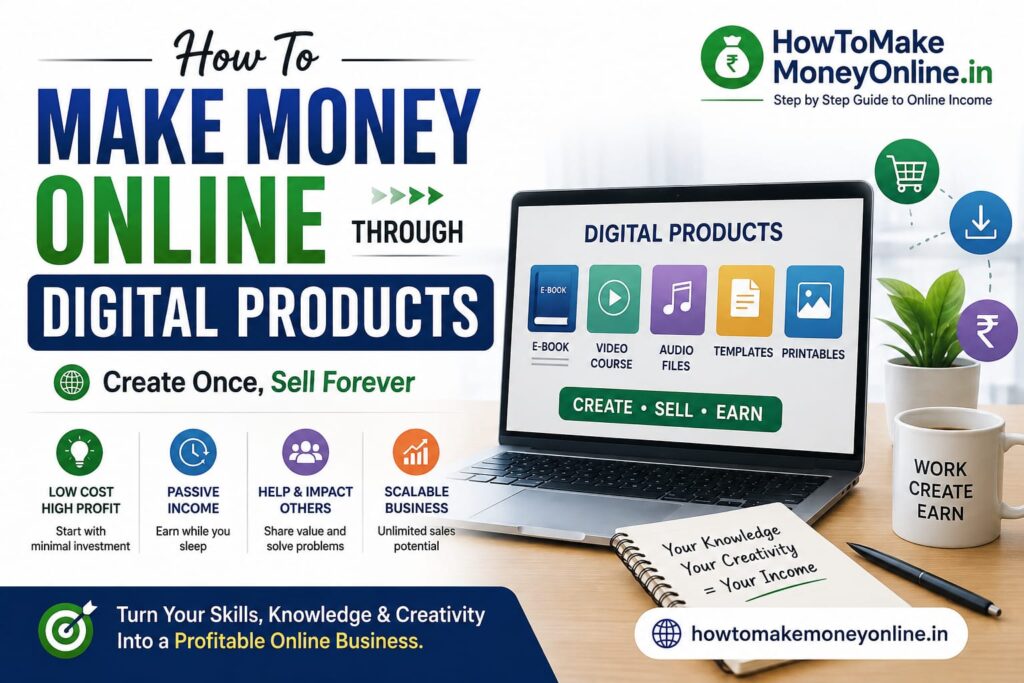
How to Make Money Online Through Digital Products: A Complete Beginner’s Guide
Digital products are one of the most interesting ways to build an online income because they can be created once and sold repeatedly without the need for physical inventory, warehouses, or traditional shipping.
From ebooks and online courses to templates, printables, digital artwork, software, presets, spreadsheets, and downloadable resources, there are countless types of digital products that people are willing to pay for online.
However, creating a digital product does not automatically mean it will sell. Successful digital-product businesses usually start by identifying a genuine problem, creating a useful solution, reaching the right audience, and continuously improving the product based on customer feedback.
If you are a beginner wondering how to make money online through digital products, this guide will walk you through the process—from choosing an idea and creating your first product to selecting platforms, marketing your products, calculating your earnings, and avoiding common mistakes.
What Are Digital Products?
A digital product is something that is created, delivered, and consumed electronically rather than as a physical item.
Examples include:
- Ebooks
- Online courses
- PDF guides
- Checklists
- Templates
- Planners
- Spreadsheets
- Digital artwork
- Graphic-design assets
- Presentation templates
- Fonts
- Lightroom presets
- Stock photographs
- Music and sound effects
- Software
- Mobile applications
- Website themes
- WordPress plugins
- Printable worksheets
- Educational resources
- Business documents
- Notion templates
- Digital invitations
Unlike physical products, digital products generally don’t need to be stored in a warehouse or physically delivered to the buyer.
Why Digital Products Are a Good Way to Make Money Online
- No Physical Inventory
You don’t need to maintain shelves full of products.
A PDF, template, course, or software product can be stored digitally.
- No Traditional Shipping
Customers can often receive their purchase through:
- Download links
- Customer dashboards
- Online course platforms
- Cloud-based systems
This can make fulfillment much simpler than physical e-commerce.
- Create Once, Sell Multiple Times
Suppose you create an ebook that sells for ₹299.
If 100 people purchase it:
₹299 × 100 = ₹29,900
The actual net income will be lower after platform fees, payment processing, taxes, refunds, advertising, and other expenses.
The important point is that you don’t necessarily need to recreate the ebook for every customer.
- Global Audience
A digital product can potentially be sold to customers in different countries, provided your payment system, platform, licensing, tax, and legal arrangements support those sales.
- Low Marginal Fulfillment Cost
Once a digital product has been created, selling another copy usually doesn’t require manufacturing another physical item.
This makes digital products attractive for creators who want a scalable online business.
Can You Really Make Money Selling Digital Products?
Yes, but there is no guaranteed income.
Your results can depend on:
- Product quality
- Audience size
- Customer demand
- Pricing
- Marketing
- Competition
- Product niche
- Customer trust
- Platform fees
- Refunds
- Advertising costs
- Your ability to continually improve the product
A common mistake is creating a product first and asking:
“How can I sell this?”
A better approach is:
“What problem does my audience have, and what digital solution would they pay for?”
That change in mindset can make a significant difference.
Types of Digital Products You Can Sell
There is no single type of digital product that works for everyone.
Let’s explore some popular options.
- Ebooks
Ebooks are among the easiest digital products for beginners to understand.
Examples:
- Beginner’s guide to freelancing
- Social-media marketing guide
- Photography guide
- Study guide
- Recipe book
- Career guide
- Blogging guide
- Business guide
For example, if you run a blog about online income, you could create:
“100 Practical Ways to Make Money Online”
- Online Courses
If you have expertise in a particular subject, you can create an online course.
Examples:
- Digital marketing
- Graphic design
- Photography
- Coding
- Spoken English
- Excel
- Blogging
- Video editing
- Entrepreneurship
Courses can be delivered through:
- Pre-recorded videos
- Audio lessons
- PDFs
- Quizzes
- Assignments
- Live sessions
- Community access
- Templates
Templates can save customers time.
Examples include:
- Resume templates
- Invoice templates
- Business-plan templates
- Presentation templates
- Social-media templates
- Website templates
- Email templates
- Spreadsheet templates
For example:
50 Professional Resume Templates for Job Seekers
could be packaged as a digital product.
- Printables
Printables are digital files that customers download and print themselves.
Examples:
- Daily planners
- Monthly planners
- Habit trackers
- Budget sheets
- Study planners
- To-do lists
- Wedding planners
- Meal planners
- Spreadsheets
If you’re good at Excel or Google Sheets, you can create useful spreadsheet products.
Examples:
- Personal budget tracker
- Business expense tracker
- Sales tracker
- Inventory tracker
- Project-management spreadsheet
- Investment tracking spreadsheet
- Freelance income tracker
Be careful when creating financial products: avoid presenting a spreadsheet as professional financial advice.
- Digital Art and Graphics
Graphic designers can sell:
- Illustrations
- Icons
- Logos
- Backgrounds
- Social-media graphics
- Presentation graphics
- Design elements
- Stock Photography
Photographers can sell licensed photographs for:
- Websites
- Advertising
- Blogs
- Presentations
- Publications
Make sure you have appropriate rights for the people, locations, brands, and other elements appearing in your images.
- Presets and Editing Resources
Photographers and video creators can sell:
- Lightroom presets
- Photoshop actions
- Video presets
- LUTs
- Editing templates
- Digital Fonts
Designers can create and sell fonts for:
- Branding
- Websites
- Social media
- Posters
- Invitations
- Graphic design
Make sure you understand font licensing and intellectual-property requirements.
- Software and Applications
Developers can create:
- Mobile apps
- Web applications
- WordPress plugins
- Browser extensions
- Productivity tools
- Business software
Software can potentially generate recurring revenue through subscriptions.
- Notion Templates
People use productivity tools to organize:
- Tasks
- Projects
- Study schedules
- Finances
- Content calendars
- Businesses
You can create templates that help users manage these activities.
- Educational Resources
Teachers and educators can create:
- Worksheets
- Question banks
- Lesson plans
- Study notes
- Revision materials
- Activity sheets
- Educational presentations
Ensure that educational content is accurate and that you have the necessary rights to any third-party material you include.
How to Choose the Right Digital Product
The best product isn’t necessarily the most complicated one.
For beginners, a simple product that solves a specific problem may be a better starting point.
Ask yourself:
What do I know?
What knowledge or skills do you already have?
What problems do people have?
What questions do people repeatedly ask you?
What can I create?
Can you turn your knowledge into:
- A guide?
- Template?
- Course?
- Checklist?
- Tool?
Are people willing to pay?
People may like free information but not necessarily be willing to purchase it.
Look for evidence of demand.
Step-by-Step: How to Make Money Through Digital Products
Step 1: Choose a Niche
Start with a specific audience rather than trying to sell everything to everyone.
Examples:
Students
- Study planners
- Revision notes
- Exam preparation resources
Small Businesses
- Invoice templates
- Social-media templates
- Business spreadsheets
Bloggers
- Content calendars
- SEO checklists
- Blog templates
Freelancers
- Proposal templates
- Invoice templates
- Portfolio templates
Teachers
- Worksheets
- Lesson plans
- Educational resources
A focused audience makes it easier to understand customer needs.
Step 2: Identify a Problem
Don’t start with:
“I want to create an ebook.”
Start with:
“What problem can I solve?”
For example:
Problem: New freelancers don’t know how to write proposals.
Digital Product: Freelance Proposal Template Pack.
Or:
Problem: Small businesses struggle to plan social-media posts.
Digital Product: 365-Day Social Media Content Calendar.
The closer your product is to a genuine problem, the easier it may be to explain its value.
Step 3: Research the Market
Before spending weeks creating your product, investigate the market.
Look at:
- Competitor products
- Customer reviews
- Social-media discussions
- Search results
- Online communities
- Product marketplaces
- Frequently asked questions
Pay particular attention to complaints.
For example, customers might say:
“This template is too complicated.”
That gives you an opportunity to create:
A simpler beginner-friendly version.
Step 4: Validate Your Product Idea
Don’t assume people will buy your product.
Try validating the idea before investing heavily in it.
You could:
- Ask your audience
- Conduct a survey
- Create a waitlist
- Publish educational content
- Offer a free sample
- Create a landing page
- Pre-sell where legally and practically appropriate
If nobody shows interest, reconsider the idea before spending too much time creating it.
Step 5: Create Your Product
Now create the actual product.
The tools you need depend on what you’re making.
For ebooks
You could use:
- Microsoft Word
- Google Docs
- Canva
- Other publishing tools
For graphics
You could use:
- Canva
- Adobe Photoshop
- Adobe Illustrator
- Other graphic-design software
For courses
You may need:
- Camera or smartphone
- Microphone
- Screen-recording software
- Video-editing software
- Course-hosting platform
For spreadsheets
You can use:
- Microsoft Excel
- Google Sheets
For software
You may need:
- Programming knowledge
- Development tools
- Hosting
- Databases
- Testing tools
Start with the tools you understand rather than buying expensive software immediately.
Step 6: Make Your Product Professional
Your product should look trustworthy.
For an ebook, check:
- Grammar
- Formatting
- Images
- Page layout
- Table of contents
- Links
For a course:
- Audio quality
- Video quality
- Lesson structure
- Captions
- Downloadable resources
For a template:
- Ease of use
- Instructions
- Compatibility
- Design
Remember:
Customers are paying for usefulness, not just a file.
Step 7: Choose Your Pricing
Pricing can be difficult for beginners.
There is no universal “correct” price.
Consider:
- Value provided
- Product quality
- Customer type
- Competitor pricing
- Product complexity
- Your expertise
- Support provided
- Platform fees
For example:
A simple checklist might cost relatively little.
A comprehensive professional course could command a much higher price.
A Simple Pricing Example
Suppose you sell an ebook for:
₹299
And 100 people buy it.
₹299 × 100 = ₹29,900 revenue
Now subtract:
- Payment fees
- Platform fees
- Refunds
- Advertising
- Taxes
- Other expenses
Your actual profit will be lower.
This is why you should always distinguish between:
Revenue ≠ Profit
Step 8: Choose a Platform to Sell Your Product
There are many platforms available.
Your choice depends on the type of product, audience, fees, features, and level of control you want.
- Your Own Website
Selling through your own website can give you greater control over:
- Branding
- Pricing
- Customer experience
- Content
- Marketing
- Customer relationships
You may use platforms such as WordPress with appropriate e-commerce and digital-download solutions.
For a long-term brand, your own website can be particularly valuable.
- Gumroad
Gumroad is designed for creators selling digital products and memberships.
It can be useful for beginners who want a relatively simple way to sell:
- Ebooks
- Templates
- Digital downloads
- Courses
- Memberships
Check Gumroad’s current pricing, payment availability, supported countries, and product policies before choosing it.
- Payhip
Payhip is another platform focused on selling digital products, courses, memberships, and downloads.
It can be useful for creators who want a storefront without building everything from scratch.
Again, compare its current fees and payment options before making a decision.
- Etsy
Etsy can be useful for certain digital products, particularly:
- Printables
- Templates
- Artwork
- Invitations
- Craft-related digital resources
However, you need to follow Etsy’s current marketplace rules and intellectual-property policies.
- Udemy
If you create an online course, Udemy is one platform you can consider.
It provides a marketplace where instructors can publish courses.
However, marketplace platforms have their own pricing, promotional, revenue-sharing, and content policies, so read the current terms before publishing.
- Teachable
Teachable provides tools for creators who want to build and sell online courses and other educational products.
It can be useful if you want greater control over your course brand and student experience.
- Thinkific
Thinkific is another platform designed for creating and selling online courses and educational products.
It may be useful for creators who want to build a more structured learning business.
Step 9: Create a Sales Page
Your sales page should explain:
What is the product?
Clearly describe it.
Who is it for?
Tell customers who can benefit.
What problem does it solve?
Explain the outcome.
What does the customer receive?
List exactly what is included.
Why should they buy it?
Explain the value.
How does it work?
Provide simple instructions.
Is there a refund policy?
Clearly explain applicable terms.
Avoid exaggerated claims such as:
“This ebook will make you rich in 7 days.”
Instead, be specific and honest.
Step 10: Create a Marketing Strategy
Creating a product is only half the job.
You also need customers.
- Content Marketing
Create free content related to your product.
Suppose you sell:
Freelancing Proposal Templates
Your blog could publish:
- How to Write a Freelance Proposal
- 10 Freelancing Proposal Mistakes
- How to Win Your First Freelance Client
At the end of the article, introduce your paid template pack.
This is a powerful model:
Free Content → Trust → Product
- Blogging
A blog can be one of the best long-term marketing channels for digital products.
For example, if you sell a budgeting spreadsheet, write:
- How to Create a Monthly Budget
- How to Reduce Unnecessary Expenses
- Best Budgeting Methods for Beginners
Your articles attract people who have the exact problem your product solves.
This is one reason a website like HowToMakeMoneyOnline.in can eventually complement digital products very well.
- YouTube
Create educational videos around your product’s topic.
For example, if your product is:
Complete Blogging Planner
You could make videos such as:
How to Plan Your Blog Content
10 Blogging Mistakes Beginners Make
Then introduce your paid planner.
- Social Media
Use platforms such as:
- YouTube
- X
depending on where your audience spends time.
Don’t make every post a sales advertisement.
Follow a useful balance:
Educate → Help → Engage → Recommend
- Email Marketing
An email list can become one of your most valuable assets.
You can offer a free resource such as:
Free 20-Page Blogging Checklist
in exchange for an email subscription, where appropriate and with proper consent.
Then send useful content and relevant product offers.
- Affiliate Marketing
You can also allow other creators to promote your digital product in exchange for a commission, if your platform and business model support affiliate programs.
For example:
Your product:
₹999
Affiliate commission:
30%
Affiliate earns:
₹299.70
You retain the remaining amount before applicable fees, refunds, taxes, and other expenses.
Affiliate programs can help you reach audiences you don’t already have.
- Paid Advertising
You can advertise your product through:
- Google Ads
- Meta Ads
- YouTube Ads
- Other suitable advertising platforms
But be careful.
If your product sells for ₹299 and it costs you ₹400 in advertising to acquire a customer, the campaign isn’t sustainable.
Always calculate:
Customer Acquisition Cost (CAC)
and compare it with your contribution margin and expected customer value.
How to Increase Digital Product Sales
- Create Product Bundles
Instead of selling:
One Template — ₹199
you could offer:
10 Templates Bundle — ₹699
The bundle can increase perceived value and average order value.
- Create Multiple Product Levels
For example:
Basic
₹299
Professional
₹799
Complete Bundle
₹1,499
Different customers can choose different levels.
- Offer a Free Version
A free product can introduce customers to your work.
For example:
Free: 10 social-media templates
Paid: 100 premium templates
The free product becomes a marketing tool.
- Create a Product Ecosystem
Instead of creating unrelated products, build products around one audience.
For example:
Blogging Audience
- Blogging checklist
- Content calendar
- SEO guide
- Keyword research template
- Blogging course
- Complete blogging bundle
One product can naturally lead customers to another.
- Improve Existing Products
You don’t always need to create something new.
You can improve an existing product by adding:
- New templates
- New lessons
- Updated information
- Bonus resources
- Better instructions
This can increase the product’s long-term value.
Skills You Need to Sell Digital Products
- Problem-Solving
The most important skill is understanding what people need.
- Content Creation
You should be able to communicate information clearly.
- Basic Design
Professional presentation can improve the customer experience.
- Marketing
Learn:
- SEO
- Social media
- Email marketing
- Content marketing
- Advertising
- Copywriting
Learn how to write persuasive but honest:
- Headlines
- Product descriptions
- Sales pages
- Emails
- Advertisements
- Customer Service
Customers may need help with:
- Downloads
- Access
- Compatibility
- Course lessons
- Templates
- Refunds
Respond professionally.
- Analytics
Monitor:
- Visitors
- Sales
- Conversion rate
- Revenue
- Refunds
- Traffic sources
- Customer acquisition costs
This helps you understand what is working.
Common Mistakes Beginners Make
- Creating a Product Nobody Wants
This is probably the biggest mistake.
Don’t spend months creating something without validating demand.
- Trying to Sell to Everyone
A product for:
“Everyone”
usually has weak positioning.
Instead:
“A budgeting spreadsheet for college students”
is much more specific.
- Pricing Based Only on Your Time
Customers don’t necessarily care that your product took 50 hours to create.
They care about the value it provides.
- Making the Product Too Complicated
More features don’t automatically mean more value.
Make your product easy to use.
- Poor Product Design
Even a useful product can appear unprofessional if:
- Fonts are inconsistent
- Images are poor
- Instructions are missing
- Files are disorganized
- Copying Other Creators
Never copy someone else’s:
- Ebook
- Course
- Template
- Images
- Designs
- Software
- Branding
Create original products or use content and assets that you have the legal right to use.
- Using Copyrighted Material Without Permission
Be especially careful with:
- Images
- Fonts
- Music
- Videos
- Books
- Articles
- Software
- Logos
“Found it on Google” does not mean “free to use.”
- Relying Only on Social Media
Social-media algorithms can change.
Build assets you control, such as:
- Website
- Email list
- Customer relationships
- Product catalog
- Ignoring Customer Feedback
Your customers can tell you what needs improvement.
Use feedback to:
- Fix problems
- Add features
- Improve instructions
- Create new products
- Expecting Instant Passive Income
Digital products can be highly scalable, but they are not automatically passive.
You still need to:
- Market
- Update
- Support customers
- Manage payments
- Handle refunds
- Maintain your website
- Improve products
A Simple 90-Day Digital Product Plan
Days 1–30: Research
- Choose a niche.
- Identify your target audience.
- Find a problem.
- Research competitors.
- Validate your idea.
- Decide what product to create.
Goal: Find a product people genuinely need.
Days 31–60: Create
- Build your product.
- Test it yourself.
- Ask potential users for feedback.
- Improve the design.
- Prepare product documentation.
- Create your sales page.
- Choose your selling platform.
Goal: Launch a useful, professional product.
Days 61–90: Market
- Publish blog articles.
- Create social-media content.
- Start an email list.
- Publish YouTube videos if suitable.
- Offer a free resource.
- Launch your product.
- Test different pricing and marketing approaches.
- Study customer feedback.
Goal: Find your first customers and understand what works.
Example Digital Product Business
Suppose you have knowledge about:
Blogging
You could create:
Free Content
- How to Start a Blog
- SEO for Beginners
- How to Write Blog Posts
- How to Find Blog Topics
Free Product
Blogging Checklist
Paid Products
₹299 — Blog Content Calendar
₹499 — SEO Checklist
₹799 — Blogging Starter Guide
₹1,499 — Complete Blogging Bundle
₹3,999 — Blogging Course
Now your business has a complete customer journey:
Free Content → Free Resource → Low-Priced Product → Premium Product → Course
This is a powerful model for building an online business.
Digital Products and Passive Income
Digital products are often described as a form of passive income because the same product can be sold repeatedly.
However, it is more accurate to think of them as scalable income assets.
You may create an ebook once, but you’ll still need to:
- Promote it
- Update outdated information
- Answer customer questions
- Process refunds
- Maintain your website
- Improve the product
- Monitor competitors
Therefore:
Create once, sell repeatedly does not mean work once, earn forever.